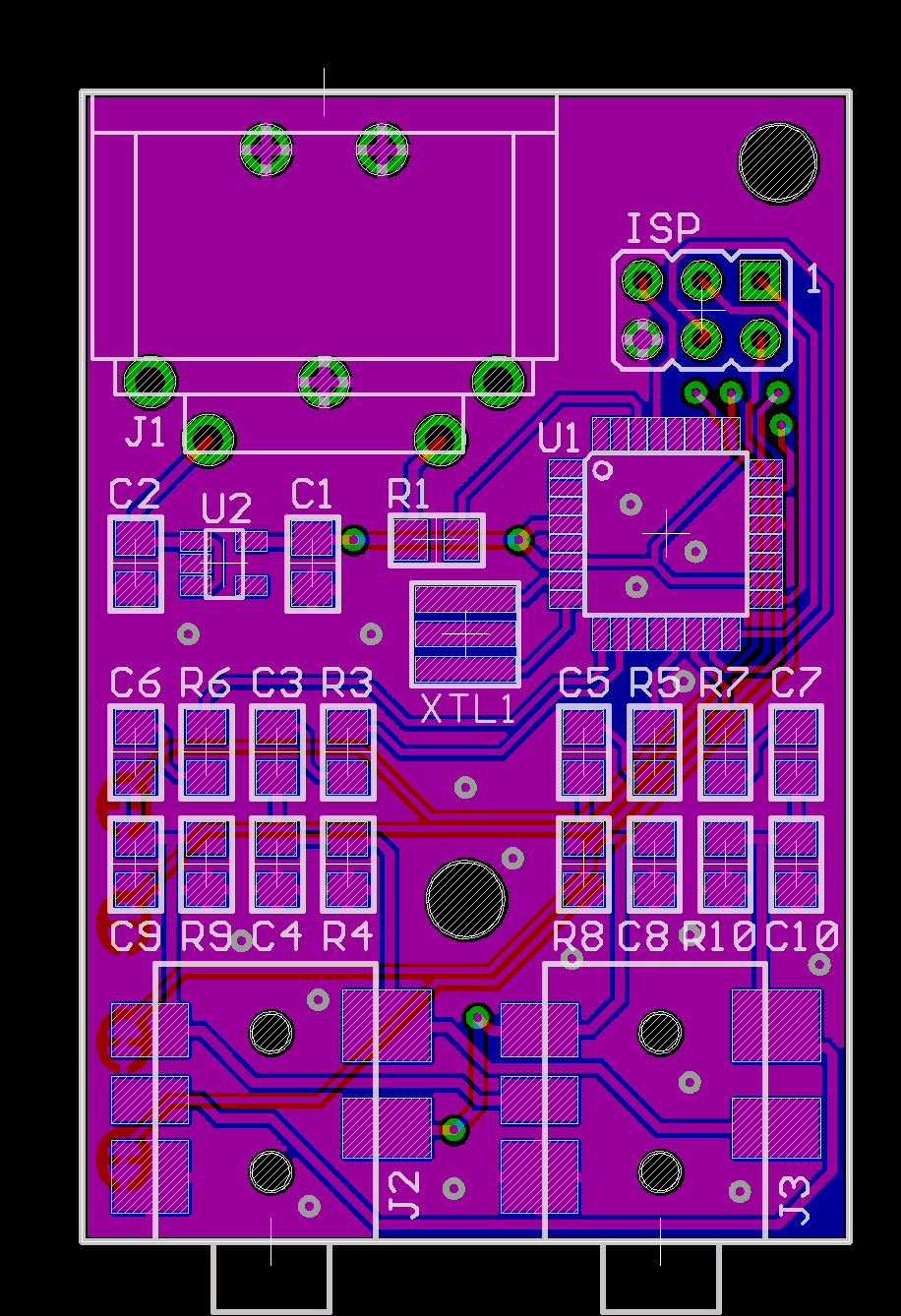
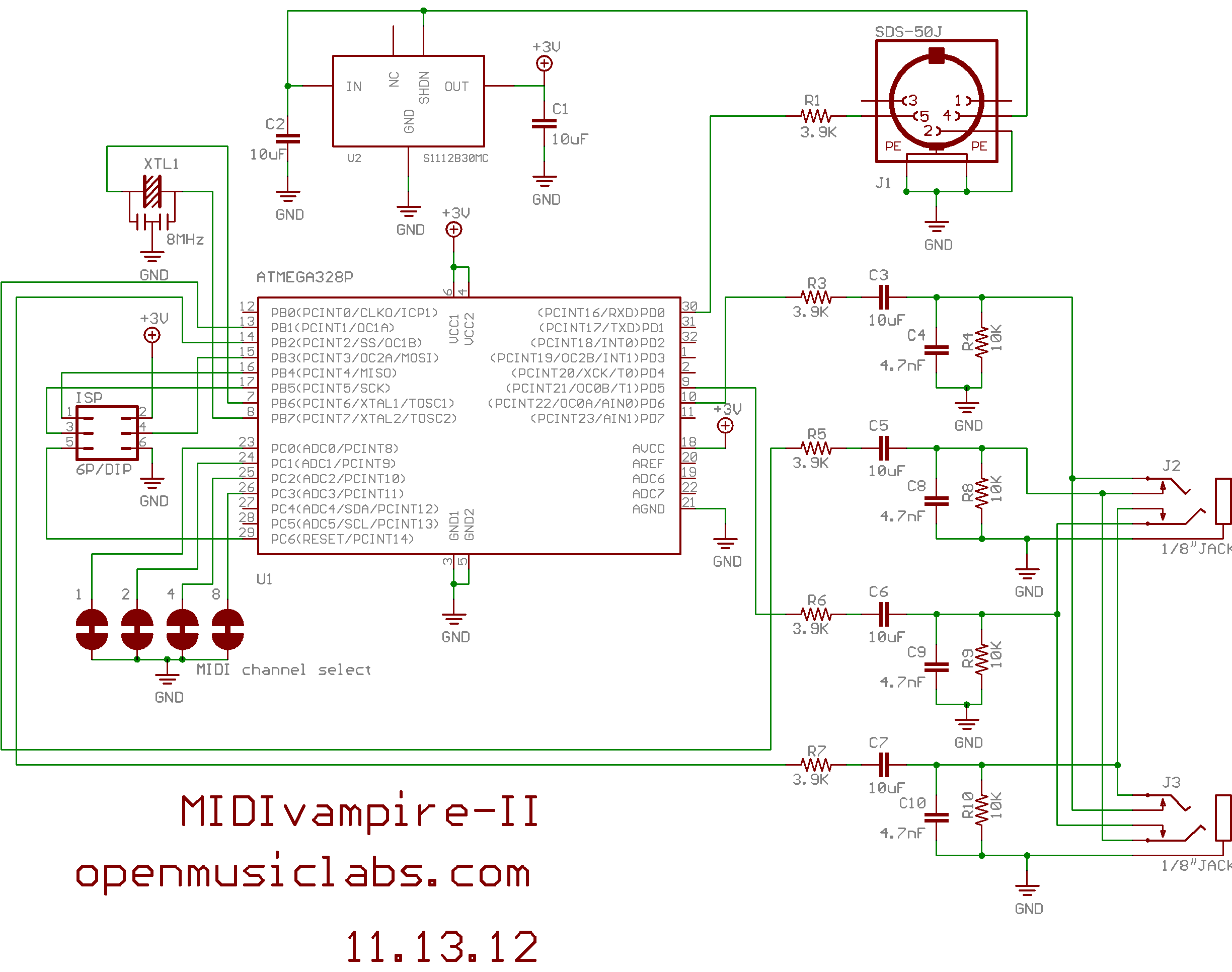
MIDI Vampire-II (Vamp2) is the next logical extension from Vamp1. You have a synth, now you need a drum machine. And just as Vamp1, Vamp2 is also phantom powered from the MIDI data line, so no batteries are needed.
Vamp2 is a 4 voice drum synthesizer, with 8b, 31.25ksps PWM sound generation, and independent outputs for each voice. The output is sent to 2 stereo 1/8" jacks (TRS: 2 voices on tip, 2 voices on ring, sleeve is ground). If only 1 jack is used, 2 sounds will be mixed on each channel. Depending upon which jack you choose, you can get a different stereo mix. Vamp2 gives control over attack, decay, release, wavetable selection, and has FM, bitcrusher, and frequency sweep effects. It also has comb-filtered noise source with swept resonance, and controllable cutoff frequency.
Vamp2 responds to Note On messages for note numbers 32, 33, 34, and 35, corresponding to G sharp thru B in the 3rd octave. These trigger voices 1, 2, 3, and 4, respectively. A currently playing note will be retriggered if a new Note On message is received. You can set the MIDI Channel by cutting traces on the bottom of the PCB. Vamp2 does NOT respond to Note Off, Sys. Ex., or Real Time messages. It does implement running status. All of the voice parameters can be modified in real time via CC messages.
| CC # | Parameter | Comments |
|---|---|---|
| 12 | attack | |
| 13 | decay | |
| 14 | release | |
| 15 | pitch | |
| 16 | frequency sweep | 64 is off, 0 - 63 is down, 65 - 127 is up |
| 17 | bit crush | 0 is off |
| 18 | wavetable selection | 0 - 63 is hi-hat, 64 - 127 is ride cymbal |
| 19 | wavetable boundary | pseudo loop point for wavetable |
| CC # | Parameter | Comments |
|---|---|---|
| 20 | attack | |
| 21 | decay | |
| 22 | release | |
| 23 | pitch | |
| 24 | frequency sweep | 64 is off, 0 - 63 is down, 65 - 127 is up |
| 25 | bit crush | 0 is off |
| 26 | fm depth | 0 is off |
| 27 | fm frequency | |
| 28 | wavetable selection | there are 8 tables |
| CC # | Parameter | Comments |
|---|---|---|
| 75 | attack | |
| 76 | decay | |
| 77 | release | |
| 78 | cut-off frequency | |
| 79 | resonance start | when decay is 0, this controls resonance |
| 80 | resonance stop | when decay is 0, this does nothing |
| 81 | resonance decay | 0 is off |
| CC # | Parameter | Comments |
|---|---|---|
| 82 | attack | |
| 83 | decay | |
| 84 | release | |
| 85 | pitch | |
| 86 | frequency sweep | 64 is off, 0 - 63 is down, 65 - 127 is up |
| 87 | bit crush | 0 is off |
| 88 | fm depth | 0 is off |
| 89 | fm frequency | |
| 90 | wavetable selection | there are 8 tables |
One of our users (Nate Grossman) made an awesome controller within TouchOSC for the ipad. It opens up all the parameters, so you can visualize what's going on.
Robbneu's Beat Surfing Template:
Nate's MAX4LIVE patch:
If you want to modify your Vamp, there are plenty of fun things to do. You can put in your own wavetables, or modify the frequency ranges pretty easily. These are just done with lookup tables that can be swapped out. The code itself is written in AVR assembly, which we apologize for, but it was the only way to get so much into such a small space. We have some Pure Data wavetable creators that you can use to take .wav files and convert them into assembly lookup tables. You can also generate sounds within Pure Data and make wavetables from those as well.
Files: Version 1.0
Last edited 2014-02-03 by guest · 13 revisions
 Open Music Labs Wiki